Neural Project Institute · Free downloads
55 Free Project Management Templates
Download 55 free project management templates for every stage of a project, from the business case and project charter to the schedule, risk register, sprint plan and lessons learned. Every template comes as a Google Sheet, an Excel file and a print-ready PDF, in beginner, advanced and expert versions, with no sign-up.
Key takeaways
- 55 free templates in seven categories: project planning, Agile and Scrum, meetings, business strategy, marketing, requirements and finance.
- Each template downloads as Google Sheets, Excel (.xlsx) or PDF, with no email address or account needed.
- Pick a level: beginner (essential columns on one tab), advanced (every tab, dropdown and formula) or expert (adds instructions, a live dashboard, status colours and revision history).
- Most projects need only a core set: a project charter, a project plan or schedule, a RACI matrix, a risk register and a tracker.
- Templates suit small and medium projects; when many people need to update the same plan in real time, project management software takes over.
Most popular templates
These are the templates project teams download most often. Each one links to a page with a live preview, step-by-step instructions, a worked example and the download buttons.
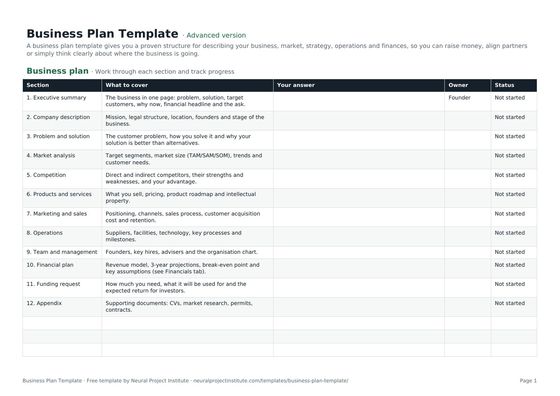 Business Plan TemplateFree business plan template with guided sections, a one-page summary and 3-year financial…Beginner · Advanced · Expert
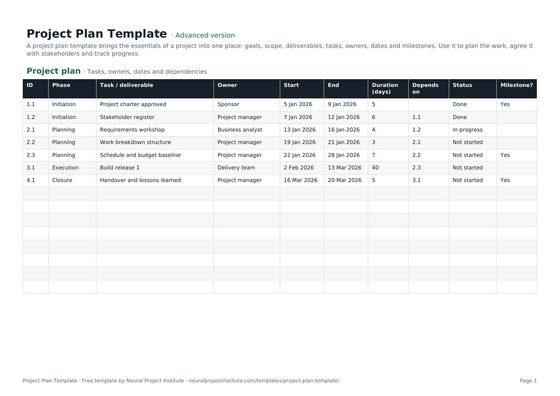 Project Plan TemplateFree project plan template with goals, scope, deliverables, tasks, owners, dates and…Beginner · Advanced · Expert
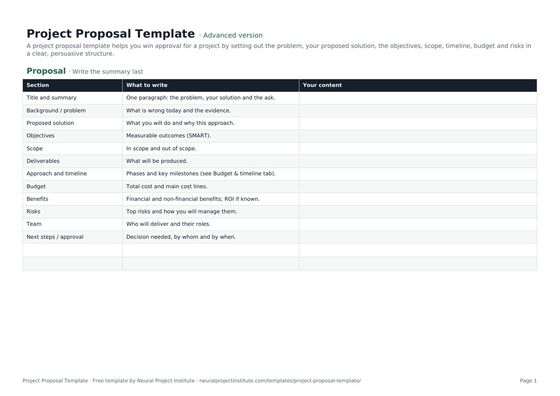 Project Proposal TemplateFree project proposal template: problem, proposed solution, objectives, scope, timeline,…Beginner · Advanced · Expert
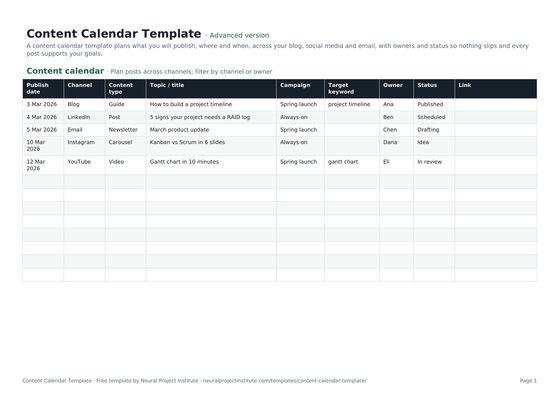 Content Calendar TemplateFree content calendar template for blogs, social media and email: dates, channels,…Beginner · Advanced · Expert
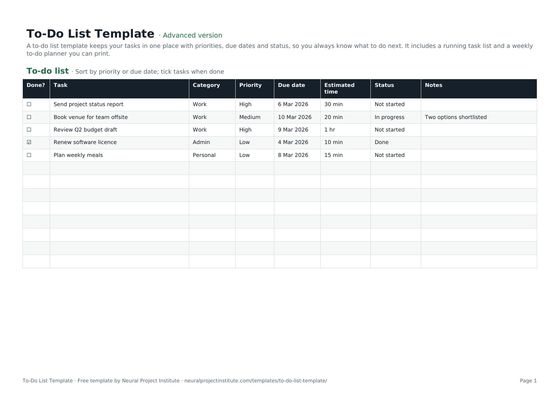 To-Do List TemplateFree to-do list template with priority, due date, category and status, plus a weekly…Beginner · Advanced · Expert
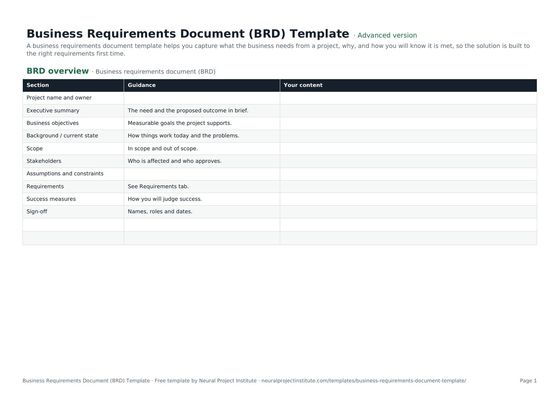 Business Requirements Document (BRD) TemplateFree business requirements document template: objectives, scope, stakeholders,…Beginner · Advanced · Expert
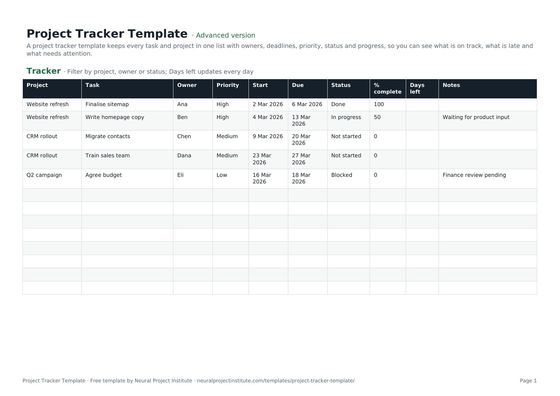 Project Tracker TemplateFree project tracker template to track tasks, owners, deadlines, priority, status and…Beginner · Advanced · Expert
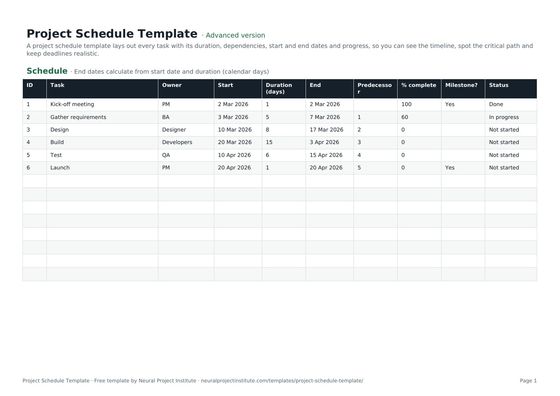 Project Schedule TemplateFree project schedule template with tasks, durations, dependencies, start and end dates,…Beginner · Advanced · Expert
What is a project management template?
A project management template is a ready-made, pre-structured document, such as a spreadsheet or form, that you copy and fill in to plan, track or report on a project. It gives you the right headings, columns and formulas in advance, so you spend your time on the content of the project rather than on designing the document, and every project records the same information in the same way.
Templates do not replace project management judgement. A risk register template will not identify your risks, and a Gantt chart template will not tell you how long tasks take. What they do is make sure you ask the right questions, keep information in one consistent place and can show stakeholders a familiar format. For the method behind each document, our project management guide explains the processes the templates support.
Choose your version: beginner, advanced or expert
Every template on this site comes in three versions, so you can match the document to the size of the project and the experience of the people filling it in.
| Version | What you get | Best for |
|---|---|---|
| Beginner | The essential columns on a single tab. Quick to fill in, with nothing to configure. | Small projects, one-off tasks, people new to the document |
| Advanced | The full template with every tab, dropdown list and formula. | Most projects and teams; the version we recommend by default |
| Expert | Everything in Advanced, plus an instructions tab, an auto-summarising dashboard, status colours and a revision history. | Larger projects, PMOs and documents that are reported to sponsors |
All three versions are available as a Google Sheet, an Excel file and a print-ready PDF. Choose the spreadsheet formats when the document will change during the project, and the PDF when you want to fill it in by hand in a workshop or attach a fixed copy to a report.
Templates for each phase of a project
Most project management frameworks, including PMI's process groups and PRINCE2's stages, describe a project moving from initiation through planning, execution and control to closure. This table shows which of our templates you will typically use in each phase.
| Phase | What you need to decide or record | Templates to use |
|---|---|---|
| Initiating | Why the project exists, whether it is worth doing and who authorises it | Business case, project proposal, problem statement, project charter, project brief |
| Planning | Scope, deliverables, schedule, cost, roles, risks and communication | Project plan, project scope statement, work breakdown structure, project schedule, Gantt chart, project cost estimate, RACI matrix, communication plan, risk register |
| Executing | Who is doing what this week, and what was agreed in meetings | Project tracker, action plan, meeting agenda, meeting notes, work request form |
| Monitoring and controlling | Progress against plan, new risks and issues, and requested changes | RAID log, change request, budget, critical path |
| Closing | Whether every deliverable was accepted and what the team learned | Project deliverables, lessons learned |
Agile teams use a different rhythm: a product backlog and product roadmap for direction, then a sprint planning template, a Kanban board and a sprint retrospective template in every Sprint.
All 55 templates by category
Every template is listed below, grouped into seven categories and ordered by popularity within each group. Use the search box above to filter by name, for example "Gantt", "RACI" or "budget".
Project planning templates
Project Plan TemplateFree project plan template with goals, scope, deliverables, tasks, owners, dates and…Beginner · Advanced · ExpertProject Tracker TemplateFree project tracker template to track tasks, owners, deadlines, priority, status and…Beginner · Advanced · ExpertProject Schedule TemplateFree project schedule template with tasks, durations, dependencies, start and end dates,…Beginner · Advanced · Expert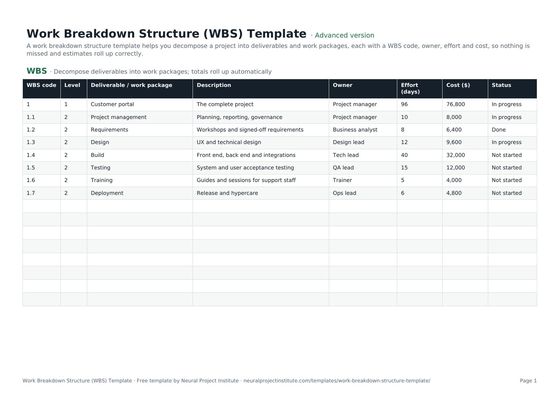 Work Breakdown Structure (WBS) TemplateFree work breakdown structure template with WBS codes, levels, deliverables, owners,…Beginner · Advanced · Expert
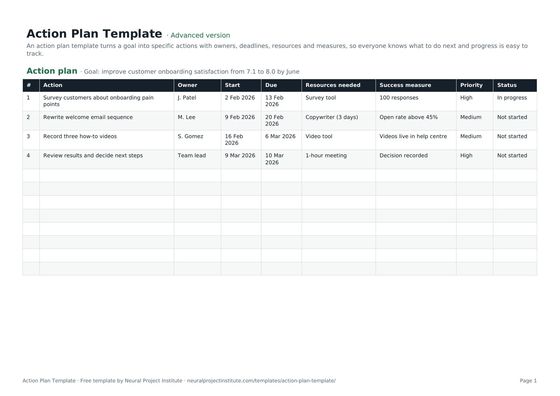 Action Plan TemplateFree action plan template with goal, actions, owners, deadlines, resources, success…Beginner · Advanced · Expert
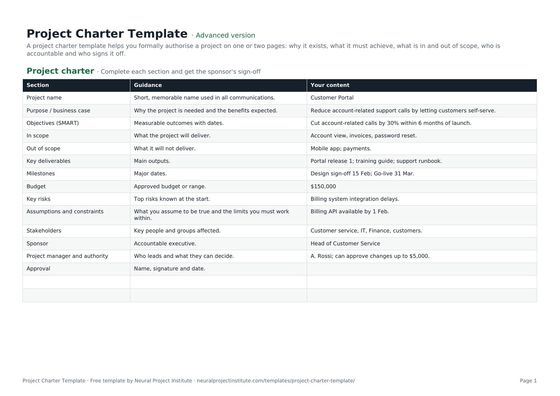 Project Charter TemplateFree project charter template covering purpose, objectives, scope, milestones, budget,…Beginner · Advanced · Expert
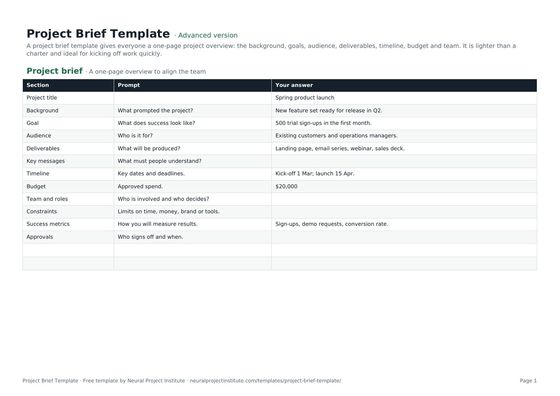 Project Brief TemplateFree project brief template for a one-page project overview: background, goals, audience,…Beginner · Advanced · Expert
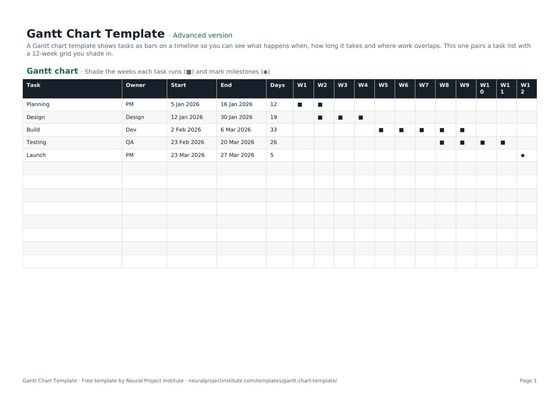 Gantt Chart TemplateFree Gantt chart template: tasks, owners, dates and a week-by-week timeline you fill in.…Beginner · Advanced · Expert
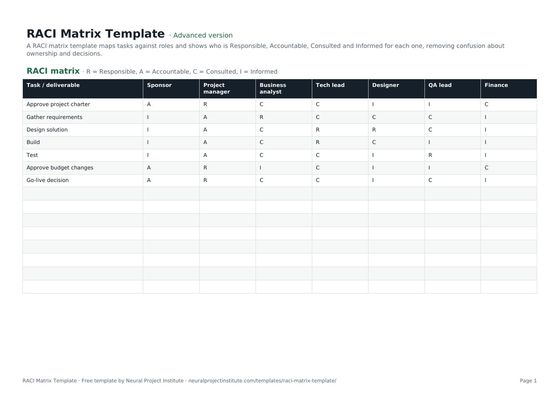 RACI Matrix TemplateFree RACI matrix template to map who is Responsible, Accountable, Consulted and Informed…Beginner · Advanced · Expert
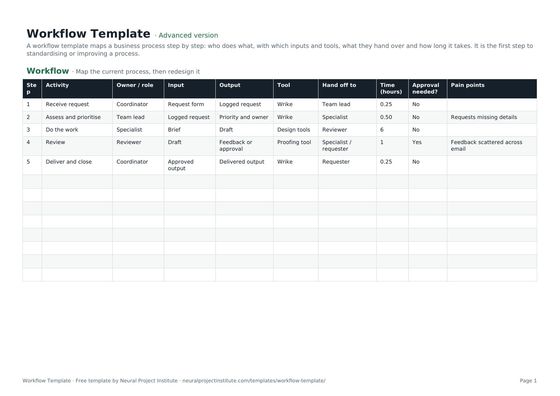 Workflow TemplateFree workflow template to map business process steps, owners, inputs, outputs, tools,…Beginner · Advanced · Expert
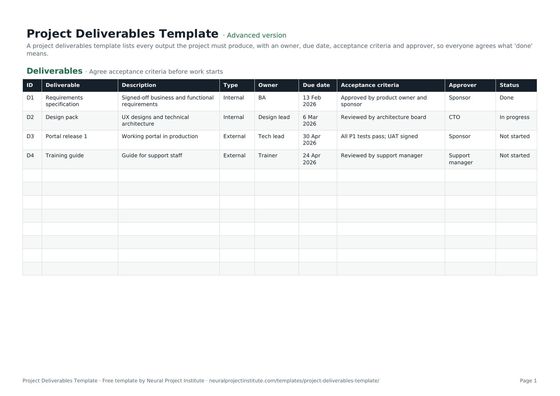 Project Deliverables TemplateFree project deliverables template to list each deliverable with owner, due date,…Beginner · Advanced · Expert
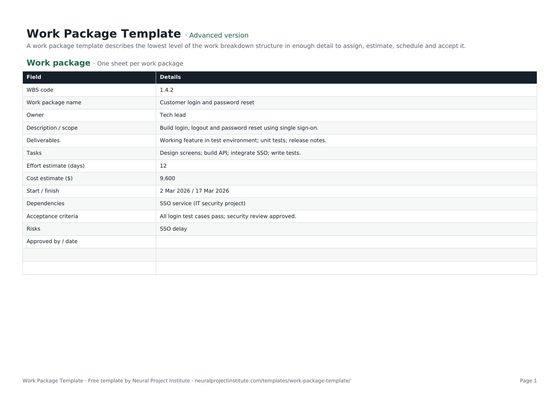 Work Package TemplateFree work package template: scope, deliverables, tasks, owner, effort, cost, dates,…Beginner · Advanced · Expert
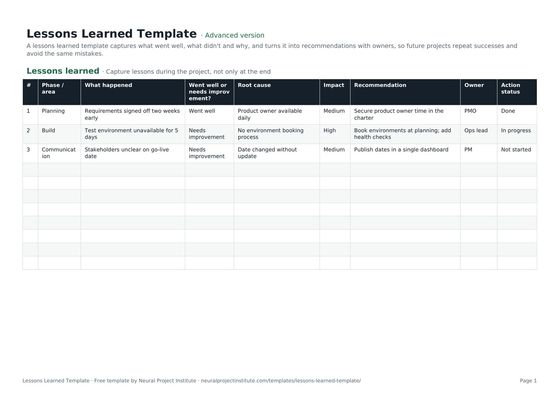 Lessons Learned TemplateFree lessons learned template to capture what went well, what didn't, root causes and…Beginner · Advanced · Expert
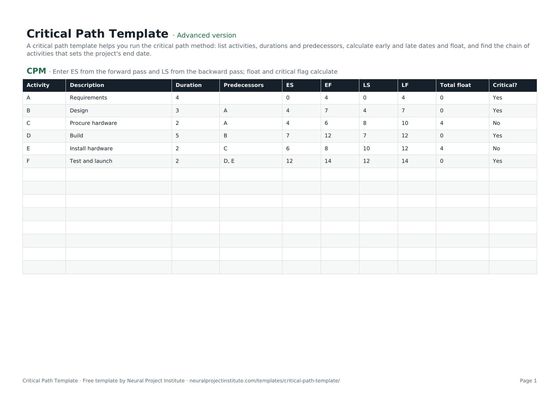 Critical Path TemplateFree critical path method template: activities, durations, predecessors, early and late…Beginner · Advanced · Expert
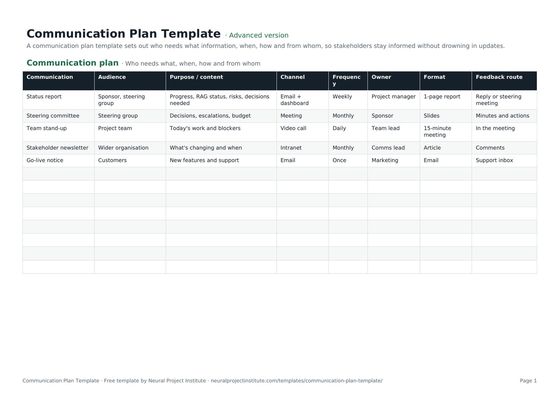 Communication Plan TemplateFree project communication plan template: audience, information, channel, frequency,…Beginner · Advanced · Expert
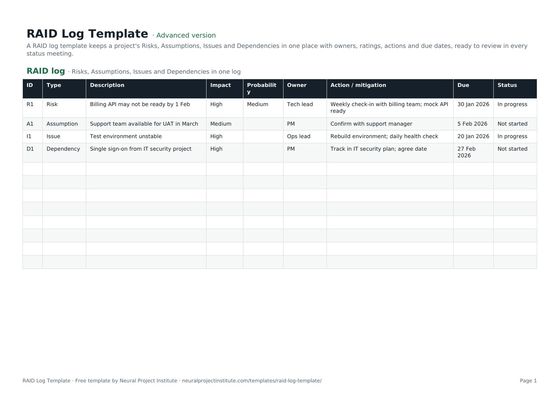 RAID Log TemplateFree RAID log template to track project Risks, Assumptions, Issues and Dependencies with…Beginner · Advanced · Expert
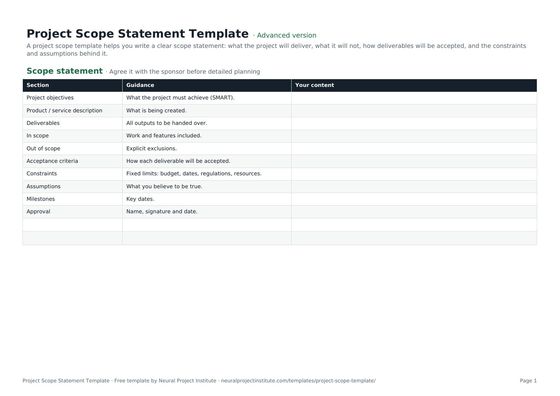 Project Scope Statement TemplateFree project scope template: objectives, deliverables, in scope, out of scope, acceptance…Beginner · Advanced · Expert
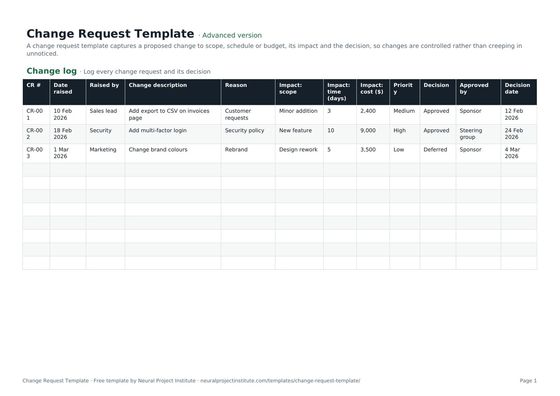 Change Request TemplateFree change request template and change control log: description, reason, impact on…Beginner · Advanced · Expert
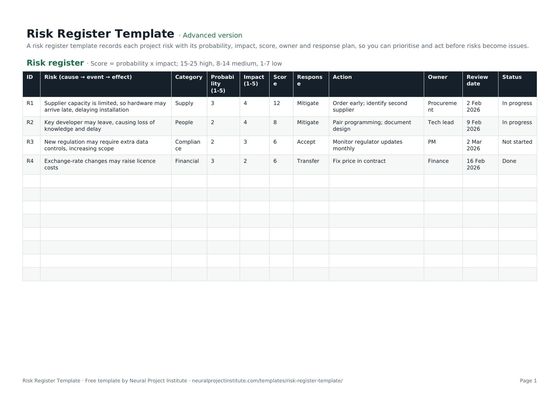 Risk Register TemplateFree risk register and risk assessment template with probability, impact, auto-calculated…Beginner · Advanced · Expert
Agile & Scrum templates
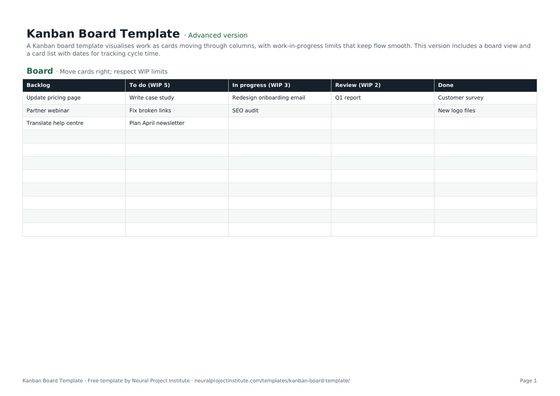 Kanban Board TemplateFree Kanban board template with To Do, In Progress, Review and Done columns, WIP limits…Beginner · Advanced · Expert
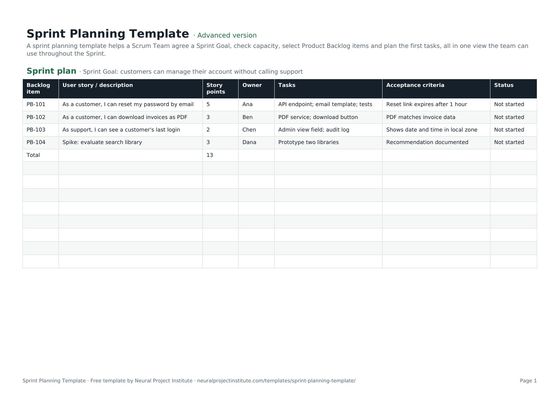 Sprint Planning TemplateFree sprint planning template with Sprint Goal, capacity, selected backlog items, story…Beginner · Advanced · Expert
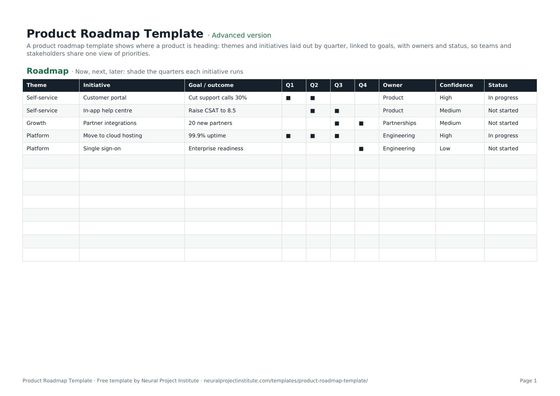 Product Roadmap TemplateFree product roadmap template with themes, initiatives, quarters, owners and status; also…Beginner · Advanced · Expert
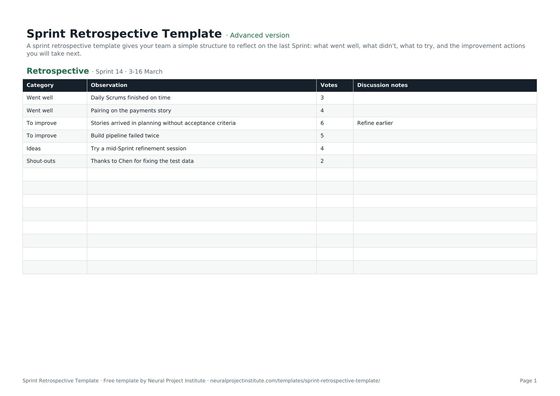 Sprint Retrospective TemplateFree sprint retrospective template: what went well, what to improve, ideas and action…Beginner · Advanced · Expert
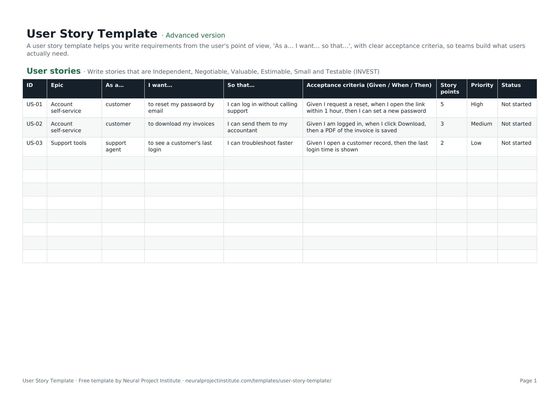 User Story TemplateFree user story template: As a / I want / so that, acceptance criteria, epic, estimate…Beginner · Advanced · Expert
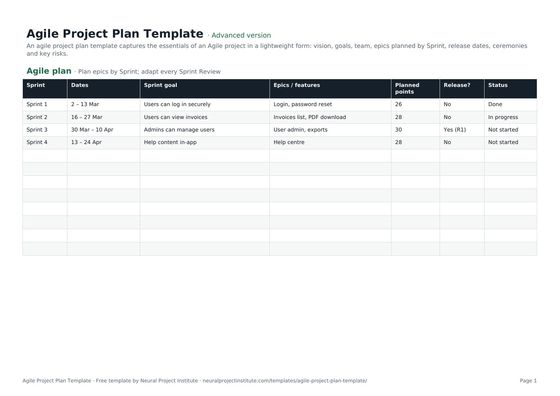 Agile Project Plan TemplateFree agile project plan template: vision, goals, team, epics by Sprint, releases and…Beginner · Advanced · Expert
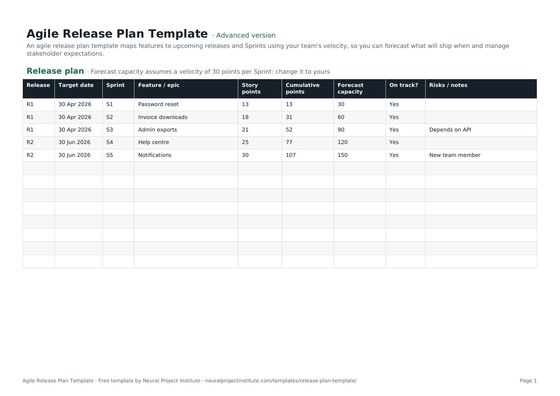 Agile Release Plan TemplateFree agile release plan template: releases, Sprints, features, story points, velocity…Beginner · Advanced · Expert
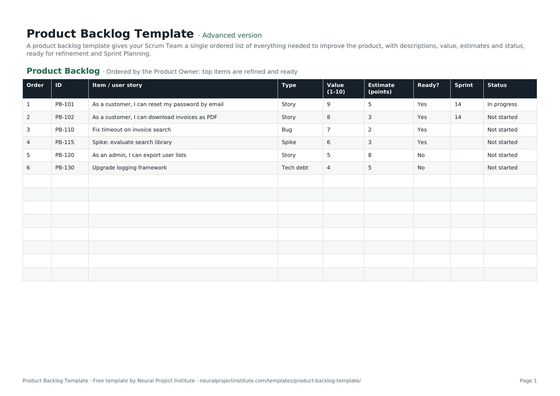 Product Backlog TemplateFree product backlog template with ordered items, user stories, value, estimates, Sprint…Beginner · Advanced · Expert
Meetings & productivity templates
To-Do List TemplateFree to-do list template with priority, due date, category and status, plus a weekly…Beginner · Advanced · Expert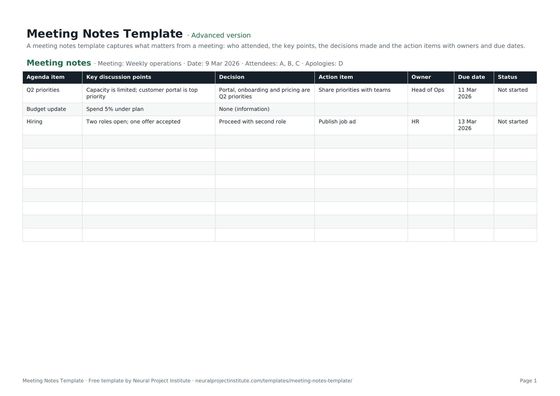 Meeting Notes TemplateFree meeting notes template with attendees, discussion, decisions and action items with…Beginner · Advanced · Expert
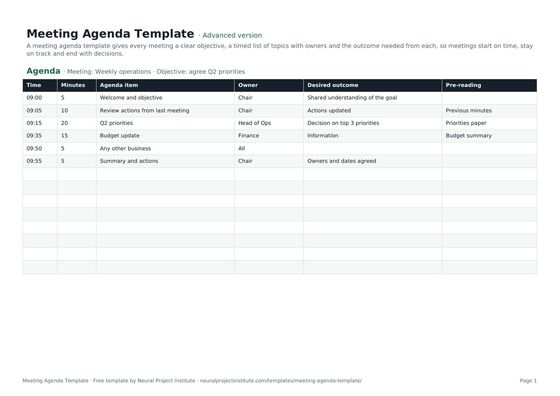 Meeting Agenda TemplateFree meeting agenda template with objective, timed items, owners, outcomes and…Beginner · Advanced · Expert
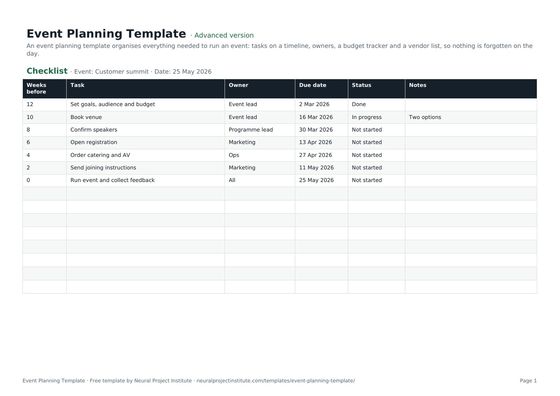 Event Planning TemplateFree event planning template with task checklist, timeline, owners, budget tracker and…Beginner · Advanced · Expert
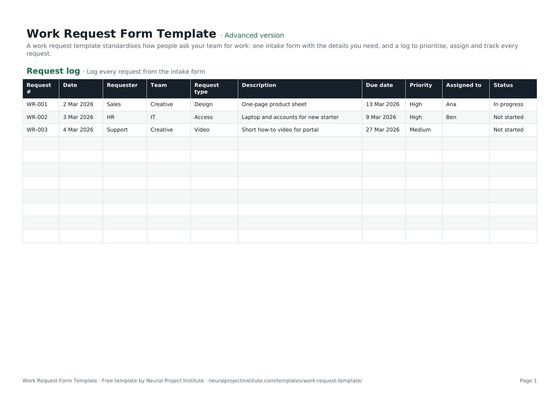 Work Request Form TemplateFree work request template: intake form, request log, priority, due date, owner and…Beginner · Advanced · Expert
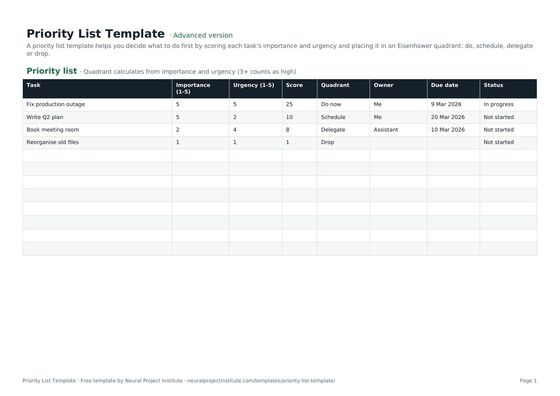 Priority List TemplateFree priority list template that scores tasks by importance and urgency and sorts them…Beginner · Advanced · Expert
Business & strategy templates
Business Plan TemplateFree business plan template with guided sections, a one-page summary and 3-year financial…Beginner · Advanced · ExpertProject Proposal TemplateFree project proposal template: problem, proposed solution, objectives, scope, timeline,…Beginner · Advanced · Expert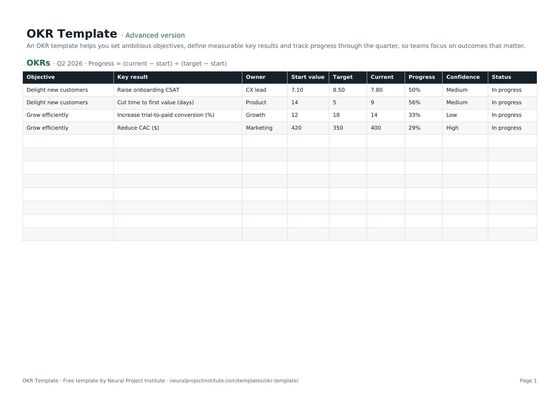 OKR TemplateFree OKR template to set objectives and key results, track progress and score them each…Beginner · Advanced · Expert
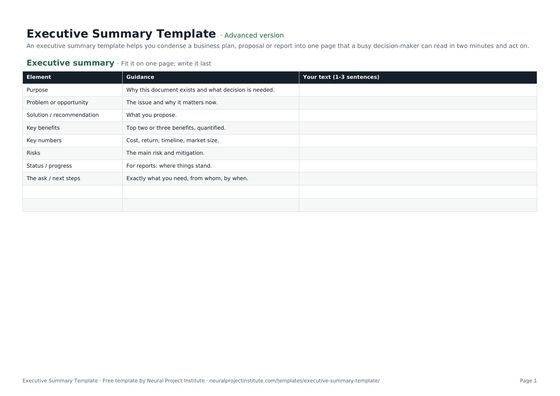 Executive Summary TemplateFree executive summary template for business plans, proposals and project reports:…Beginner · Advanced · Expert
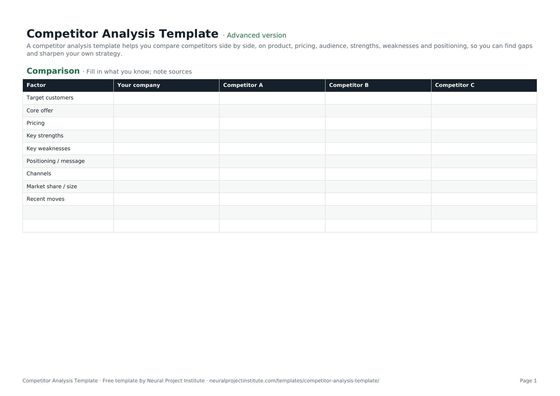 Competitor Analysis TemplateFree competitor analysis template comparing rivals on product, pricing, audience,…Beginner · Advanced · Expert
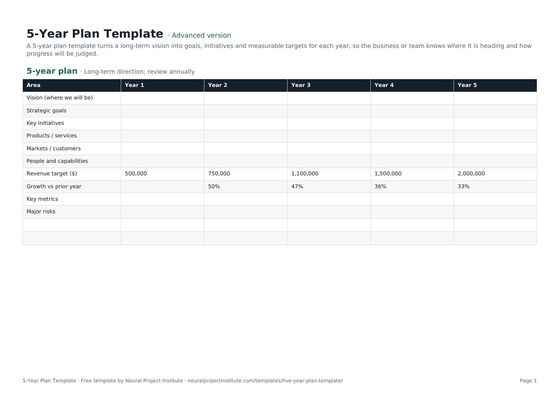 5-Year Plan TemplateFree 5-year plan template for strategic planning: vision, goals by year, key initiatives,…Beginner · Advanced · Expert
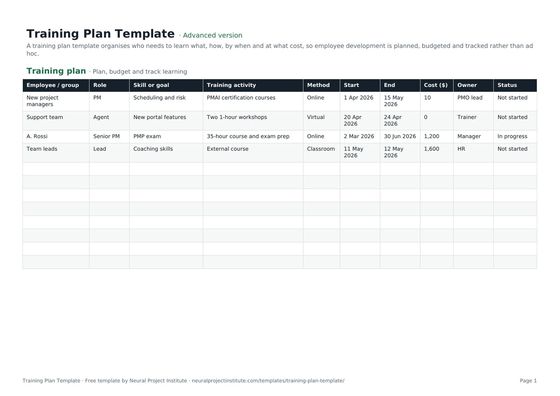 Training Plan TemplateFree employee training plan template: skills needed, training activities, delivery…Beginner · Advanced · Expert
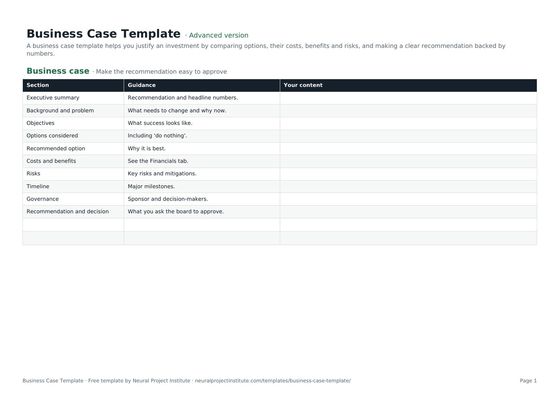 Business Case TemplateFree business case template: problem, options, costs, benefits, ROI, payback, risks and…Beginner · Advanced · Expert
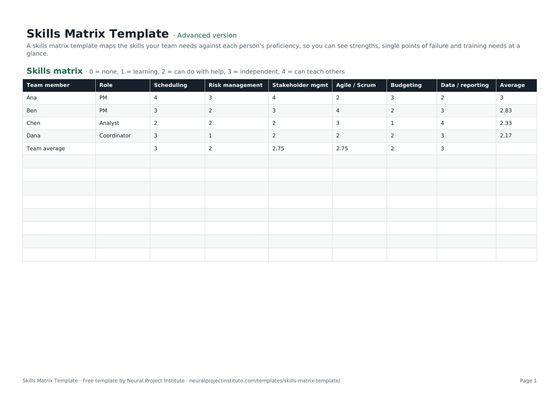 Skills Matrix TemplateFree skills matrix template to rate team members' skills from 0 to 4, spot gaps and plan…Beginner · Advanced · Expert
Marketing templates
Content Calendar TemplateFree content calendar template for blogs, social media and email: dates, channels,…Beginner · Advanced · Expert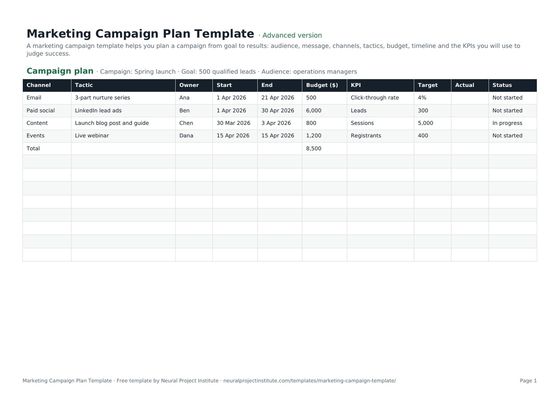 Marketing Campaign Plan TemplateFree marketing campaign template: goal, audience, message, channels, tactics, budget,…Beginner · Advanced · Expert
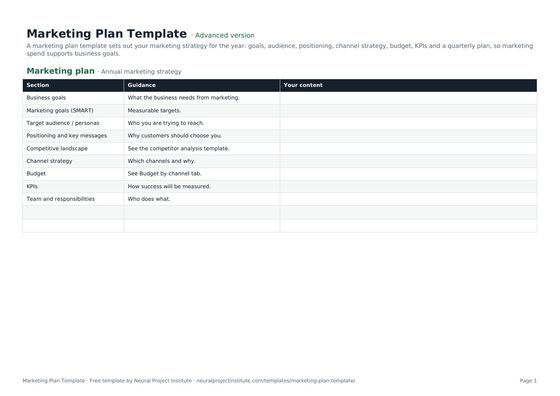 Marketing Plan TemplateFree marketing plan template: goals, audience, positioning, channel strategy, budget,…Beginner · Advanced · Expert
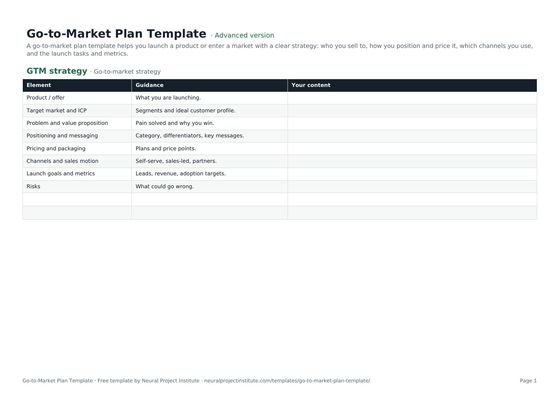 Go-to-Market Plan TemplateFree go-to-market plan template: target market, positioning, pricing, channels, launch…Beginner · Advanced · Expert
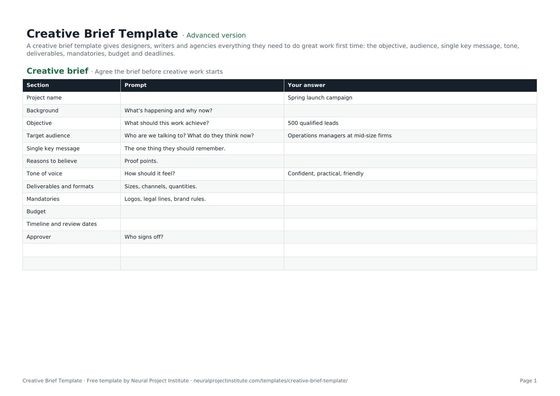 Creative Brief TemplateFree creative brief template: objective, audience, key message, tone, deliverables,…Beginner · Advanced · Expert
Requirements & analysis templates
Business Requirements Document (BRD) TemplateFree business requirements document template: objectives, scope, stakeholders,…Beginner · Advanced · Expert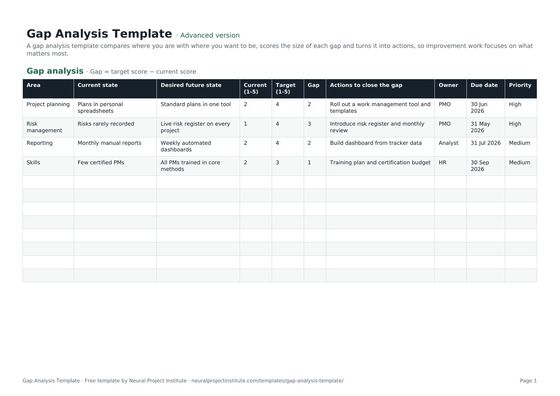 Gap Analysis TemplateFree gap analysis template comparing current and future state, scoring each gap and…Beginner · Advanced · Expert
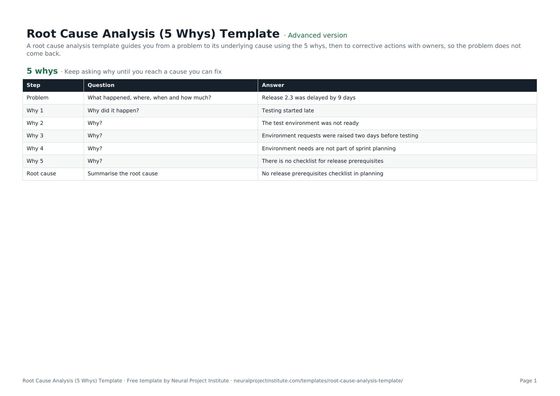 Root Cause Analysis (5 Whys) TemplateFree root cause analysis template using the 5 whys: problem statement, why chain, root…Beginner · Advanced · Expert
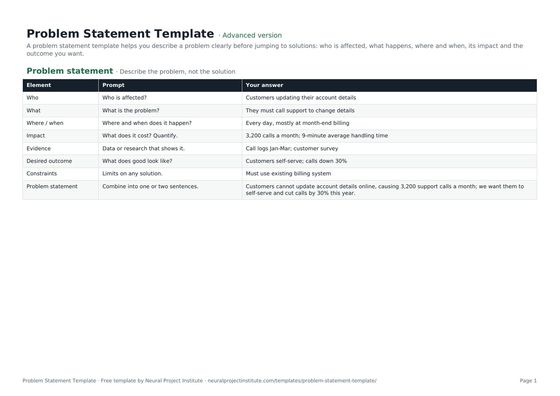 Problem Statement TemplateFree problem statement template: who is affected, what, where and when, impact, evidence,…Beginner · Advanced · Expert
Finance & estimating templates
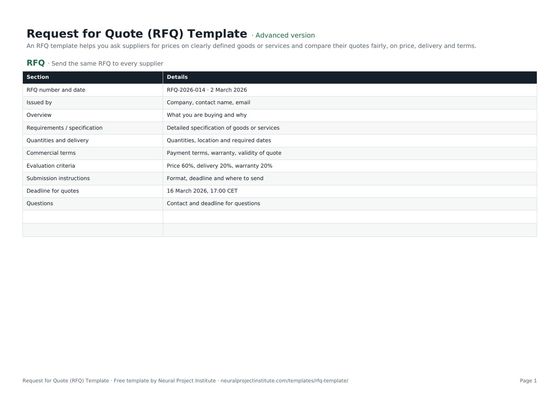 Request for Quote (RFQ) TemplateFree RFQ template (request for quotation): requirements, quantities, terms, submission…Beginner · Advanced · Expert
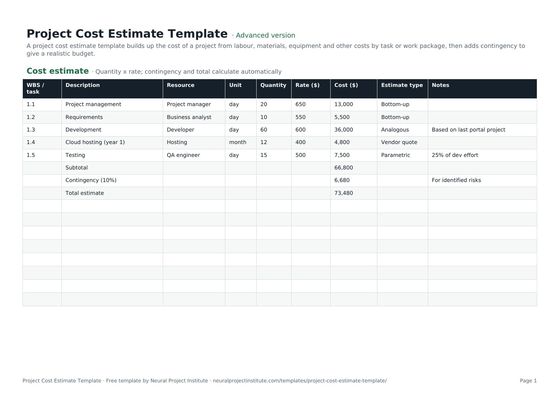 Project Cost Estimate TemplateFree project cost estimate template: labour, materials, equipment and other costs by work…Beginner · Advanced · Expert
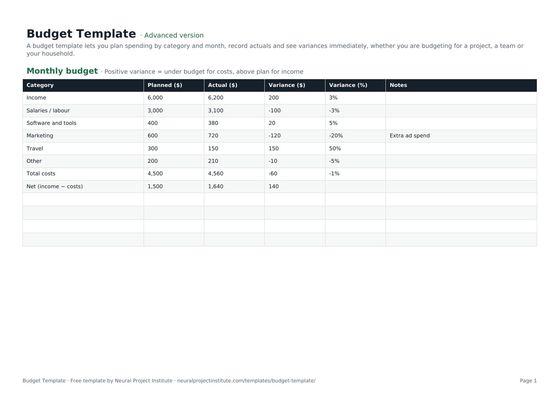 Budget TemplateFree budget template with monthly planned vs actual spend, variance and totals for…Beginner · Advanced · Expert
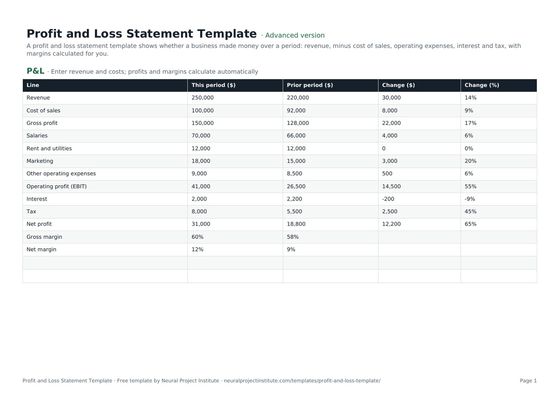 Profit and Loss Statement TemplateFree profit and loss statement template: revenue, cost of sales, gross profit, operating…Beginner · Advanced · Expert
The essential starter kit
You do not need all 55 templates on one project. For a typical project, these five documents cover most of what sponsors, team members and auditors expect to see:
- Project charter: authorises the project and records its purpose, objectives, high-level scope, milestones, budget and sponsor. Read our project charter guide for what to include.
- Project plan or project schedule: the plan sets out goals, scope, deliverables, owners and dates; the schedule focuses on tasks, durations and dependencies. Smaller projects can use one; larger projects usually need both.
- RACI matrix: makes it clear who is Responsible, Accountable, Consulted and Informed for each deliverable or decision, which prevents gaps and duplicated effort.
- Risk register: lists each risk with its probability, impact, owner and response, so risks are managed rather than discovered.
- Project tracker: the working list of tasks, owners, deadlines, priority and status that the team updates every week.
Add a communication plan, a budget and a change request form as the project grows, and finish with a lessons learned review.
Templates for common situations
If you are looking for a template for a specific job, start here:
- Planning a schedule with dependencies: the Gantt chart template for a visual week-by-week timeline, and the critical path template to calculate early and late dates and find the activities that drive the end date.
- Breaking down the work: the work breakdown structure template for the hierarchy of deliverables, then the work package template to define each package's scope, effort and cost.
- Estimating and controlling cost: the project cost estimate template to build the estimate by work package, and the budget template to track planned against actual spend each month.
- Running Scrum: the user story template, sprint planning template, agile release plan and agile project plan.
- Meetings that lead to action: a meeting agenda with timed items, meeting notes that capture decisions and actions, and a to-do list or priority list for follow-up.
- Strategy and goals: the OKR template, 5-year plan, business plan and competitor analysis.
- Marketing projects: the content calendar, marketing campaign plan, go-to-market plan and creative brief.
- Analysing a problem: the root cause analysis (5 Whys) template, gap analysis template and business requirements document.
How to use a project management template
A template saves time only if it is set up and kept up to date. This is the process we recommend:
- Pick the right document for the decision. Ask what question the document must answer ("Who approves this?", "What could go wrong?", "When will we finish?") and choose the template that answers it.
- Choose the version and format. Beginner for a quick one-off, Advanced for most projects, Expert when you report to a sponsor or PMO. Use Google Sheets when several people will edit it, Excel if your organisation works in Microsoft 365, and PDF for printing.
- Make your own copy first. Use the Google Sheets button to copy the template into your Drive, or download the .xlsx file. Keep the original untouched so you can reuse it.
- Tailor it before you fill it in. Rename columns to your organisation's terms, delete what you will not use and edit the dropdown lists, such as status values or risk categories, so everyone uses the same options.
- Fill it in with the people who do the work. A schedule or risk register written alone by the project manager is usually wrong. Run a short workshop and complete the document together.
- Agree an owner and an update rhythm. Decide who updates each document and how often: a tracker weekly, a risk register at every status meeting, a RAID log whenever something changes.
- Save the finished version as your organisation's template. After the project, add what you learned, so the next project starts from a better document.
Common mistakes with project templates
- Filling in every field because it is there. Templates are a checklist, not a test. Leave out sections that do not apply to a small project.
- Creating the document and never updating it. A risk register or tracker that is three weeks out of date is worse than none, because people trust it.
- Using different templates on every project. Standard templates let a PMO compare projects and let people move between teams without relearning the paperwork.
- Confusing similar documents. A project charter authorises the project; a project plan explains how it will be delivered; a project brief is a short summary for stakeholders. A RAID log covers risks, assumptions, issues and dependencies together, while a risk register covers risks in more depth.
- Keeping the spreadsheet when it no longer fits. If several people are overwriting each other's changes or you are copying data between files every week, it is time to move to software.
Templates or project management software?
Spreadsheet templates are ideal for small and medium projects, for one-off documents such as a charter or business case, and for teams that already work in Excel or Google Sheets. They are free, flexible and easy to share.
Project management software becomes the better choice when many people need to update the same plan at once, when you run several projects that share people, or when you need automatic dependencies, workload views, approvals and dashboards that update themselves. In our independent ranking, Wrike is our top pick for teams that want projects, resources, portfolios, approvals and reporting in one platform, while Trello and Asana are easy first steps up from a spreadsheet. Many tools also let you import a spreadsheet, so a well-structured template makes the move easier.
How we build our templates
Each template is written by the Neural Project Institute editorial team and follows widely used project management practice, for example the RACI roles, the RAID categories and the critical path calculation of early and late dates. Each template page explains the document, shows a live preview of the first tab, lists every tab and column, and gives a worked example and tips. Templates are free to edit and use in your own work, including commercial projects; please do not resell the templates themselves.
Frequently asked questions
Are these project management templates really free?
Yes. All 55 templates are free to download in Google Sheets, Excel (.xlsx) and PDF formats, with no sign-up and no email address required.
What is a project management template?
It is a pre-structured document, usually a spreadsheet or form, that you copy and fill in to plan, track or report on a project. It provides the headings, columns and formulas in advance so every project records the same information in the same way.
Which project management templates should I start with?
Most projects start with a project charter, a project plan and a RACI matrix, then add a project schedule, a risk register and a project tracker.
What is the difference between the beginner, advanced and expert versions?
Beginner has the essential columns on one tab. Advanced is the full template with every tab, dropdown and formula. Expert adds an instructions tab, an auto-summarising dashboard, status colours and a revision history.
Can I use the templates in Google Sheets?
Yes. Use the Google Sheets button to make your own copy, or import the .xlsx file into Google Sheets with File > Import.
Do the templates work in Excel?
Yes. The .xlsx files open in Microsoft Excel 2010 or later, Excel for the web, LibreOffice and Numbers.
Can I print the templates?
Yes. Each template has a print-ready PDF in landscape A4 that also prints well on US Letter.
Can I edit and rebrand the templates?
Yes. You may edit, rebrand and use them in your own projects, including commercial work. Please do not resell the templates themselves.
Is there a free Gantt chart template?
Yes. The Gantt chart template lists tasks, owners and dates with a week-by-week timeline. For dependencies and float, use the critical path template as well.
What is the difference between a project plan template and a project schedule template?
A project plan template covers goals, scope, deliverables, owners and dates; a project schedule template focuses on tasks, durations, dependencies and start and end dates.
Are there Agile and Scrum templates?
Yes. The Agile and Scrum category includes sprint planning, product backlog, user story, Kanban board, sprint retrospective, product roadmap, agile project plan and agile release plan templates.
Can I manage a whole project in a spreadsheet?
Small and medium projects can be run well with a plan, a tracker and a risk register in a spreadsheet. As the number of people and projects grows, software with shared real-time plans, dependencies and dashboards is usually easier; see our best project management tools.
Which template should I use to track project progress?
Use the project tracker template for tasks, owners, deadlines and status, and a RAID log for risks, assumptions, issues and dependencies.
How often are the templates updated?
We review the templates regularly and add new ones based on what project teams search for most.